
Before you can check your application status or upload documents online, you'll need a portal account at my.sunloan.com. Here's how to set one up.
Step 1: Go to the Sign-In Page and Select "Sign Up Today"
Open your web browser and go to https://my.sunloan.com. Near the bottom of the sign-in page, click the Sign up today button.

Step 2: Tell Us if You've Had a Loan With Us Before
You'll be asked whether you've had a loan with Sun Loan before. Choose the option that applies to you, then click Next.

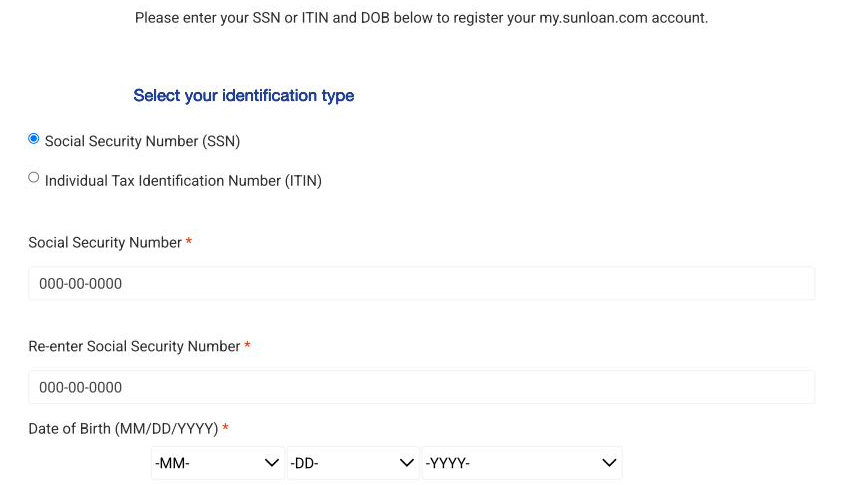
Step 3: Enter Your SSN or ITIN and Date of Birth
Select whether you're using a Social Security Number (SSN) or an Individual Tax Identification Number (ITIN). Then enter your number, enter it again to confirm, and enter your date of birth. Click Next when you're done.
Tip: If you no longer have access to the email address on file with Sun Loan, visit your local branch or call 1-800-Sun-Loan before continuing.
Step 4: Create a Password
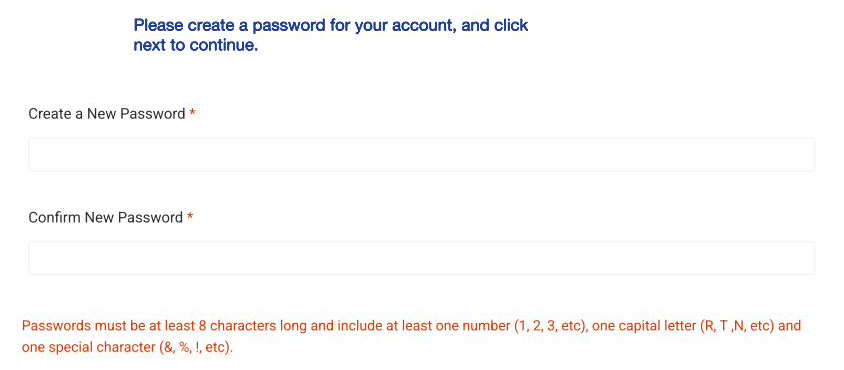
Create a password for your account. Your password must be at least 8 characters long and include one number, one capital letter, and one special character (like & or !). Enter it a second time to confirm, then click Next.
Step 5: Enter Your Confirmation Code
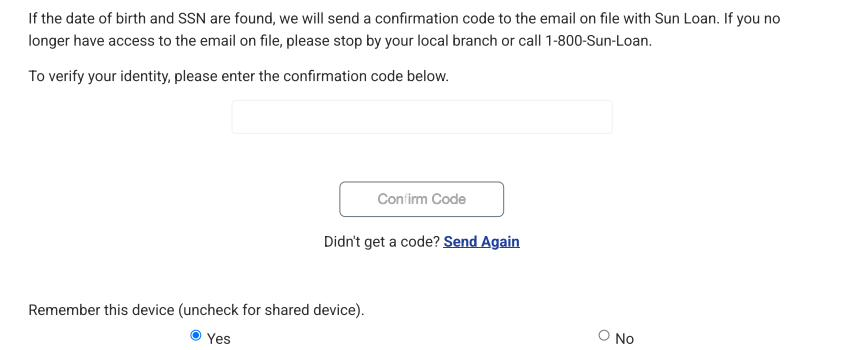
We'll send a confirmation code to the email address on file with Sun Loan. Enter the code, choose whether to remember this device, and click Confirm Code.
Didn't get a code? Click "Send Again" to have another one sent to you.
You're All Set
Once your code is confirmed, you'll be taken to your My Account page. From here, you can check your application status and upload any documents we need from you.
Still have questions about creating your account? Call us at 1-800-SUN-LOAN. We're happy to help.