
You do not need a my.sunloan.com account to make a payment. You can pay as a guest at my.sunloan.com/make-payment. Just follow the steps below.
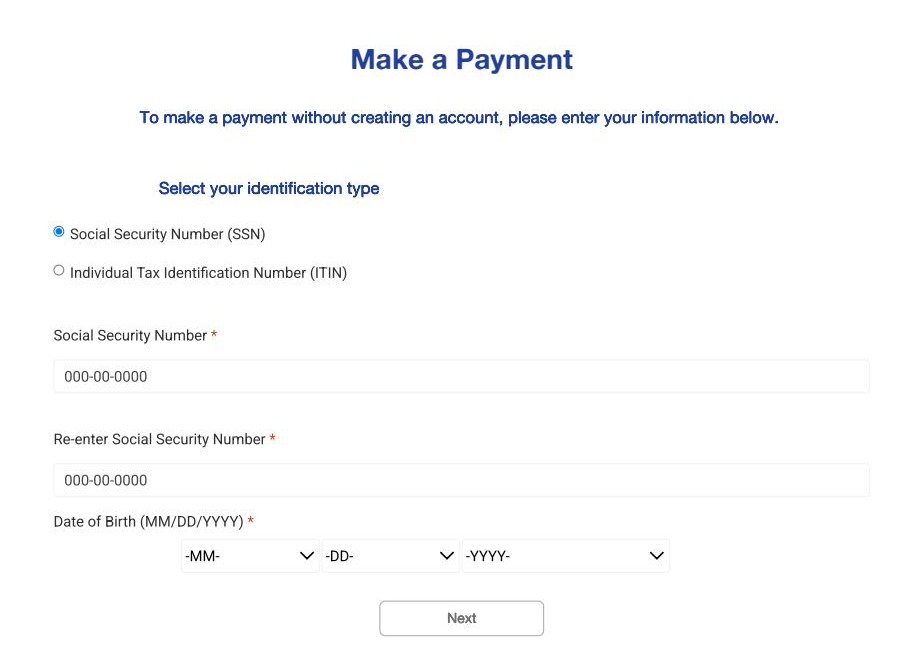
Step 1: Enter your information
Go to my.sunloan.com/make-payment. Choose whether you have a Social Security Number (SSN) or an Individual Tax Identification Number (ITIN). Type in your number twice to make sure it's correct, then enter your date of birth. Select Next.
Step 2: Choose how much to pay
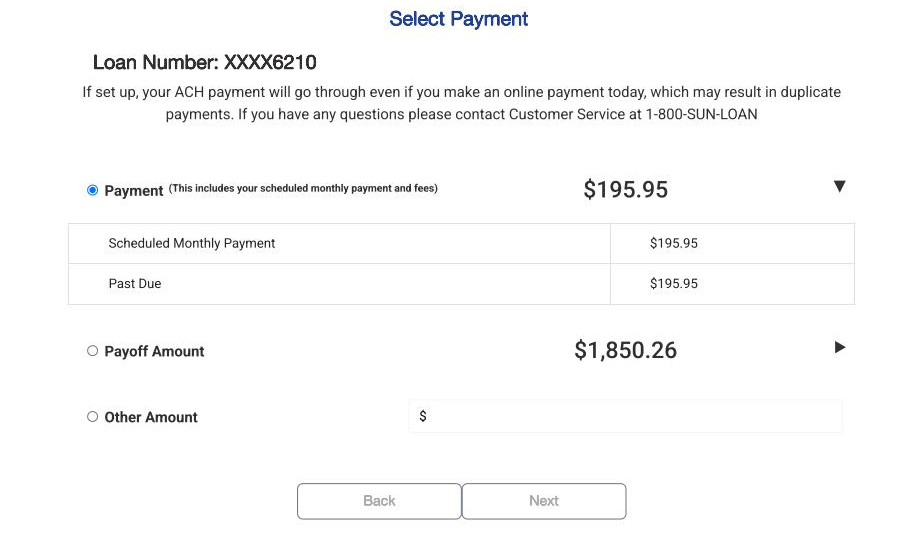
Your loan number will show at the top of the page. Choose one of the following:
- Payment – your scheduled monthly payment, plus any past due amount
- Payoff Amount – the full amount needed to pay off your loan
- Other Amount – any amount you choose to pay
Select Next.
Tip: If you already have automatic payments (ACH) set up, making an online payment today may cause a duplicate payment. If you have questions, call 1-800-SUN-LOAN.
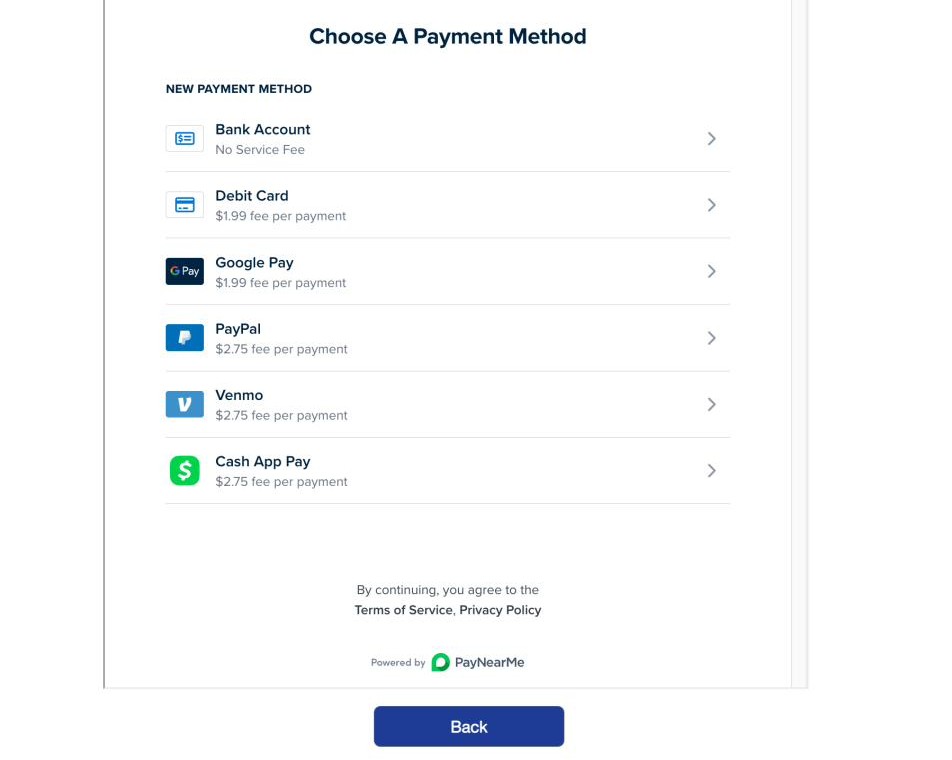
Step 3: Choose a payment method
Pick the payment method you'd like to use:
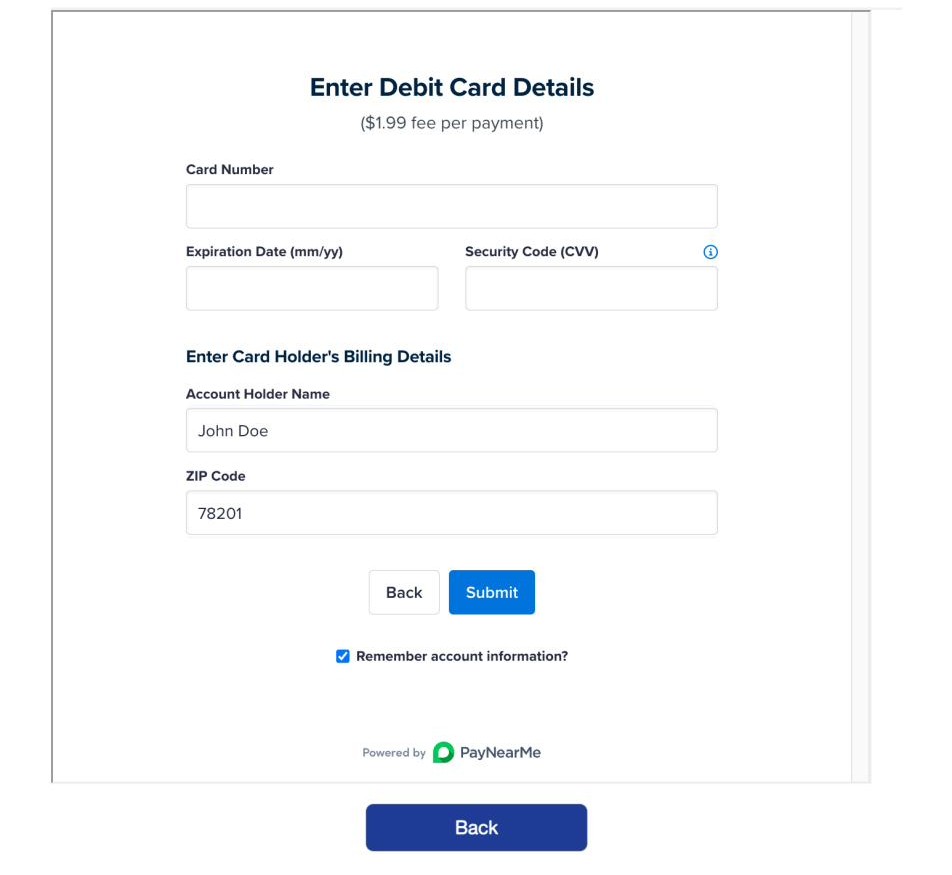
Step 4: Enter your payment details
Fill in the information for the payment method you chose (for example, your card number, expiration date, and billing zip code). Then select Submit.
Prefer not to enter this information every time you pay? You can also create a portal account to save your payment details and check your loan status anytime.
Still have questions about your status? Call us at 1-800-SUN-LOAN. We're happy to help.